Antivirus for Mac and Windows
Secret Orbit Shield
One of the most powerful antivirus programs in the world
Protects your computer from viruses, malware and suspicious files with millions of signatures updated every day. Modern interface in English and Italian. Available for Mac and Windows.
€ 5,00 + 22% VAT = € 6,10 · pay once, keep it forever
Download the brochure (PDF)
Why it's one of the most powerful antivirus programs in the world
Behind Shield is the same threat intelligence used by companies and networks worldwide.
3.6 million Cisco Talos signatures
Updated every day by Cisco Talos, one of the largest threat research centers in the world.
Threats from every system
Detects viruses and malware for Windows, Mac, Linux and Android, plus infected Office documents and PDFs.
Automatic fix
It doesn't just find threats: it fixes them, quarantines them and protects new downloads.
Every CPU core
Startup monitor, scheduled scans and parallel analysis on every core for maximum speed.
One-Time Payment · Lifetime License
Choose your system and protect it forever
One secure payment with SumUp, no subscription. Right after, you download the program and the “License Key” PDF with your personal key. The license never expires: program updates are included for 5 years from purchase; after that, your version keeps working and receiving virus signatures for as long as they are compatible.
Mac
macOS 14 or later · Apple Silicon and Intel · about 40 MB · signed and notarized by Apple · v1.3.0
- Program installer
- License Key.pdf with your key
- Signature updates included, forever
🔒 Secure payment with SumUp · cards and wallets
Windows
Windows 10 and 11 (64-bit) · about 96 MB · no administrator rights needed · v1.3.0
- Program installer
- License Key.pdf with your key
- Signature updates included, forever
🔒 Secure payment with SumUp · cards and wallets
Protection that sees further
Not just viruses. Secret Orbit Shield is antivirus and anti-malware in one app: it catches trojans, ransomware, spyware, phishing and malicious macros, including threats built for other operating systems. Your computer stays clean and you never pass infected files on.
What it stops
- Viruses
- Trojans
- Ransomware
- Spyware
- Adware
- Worms
- Backdoors
- Phishing
- Office macros
- Cryptominers
- Exploits
- Infected archives
Mac version

What it does
Not just scans: Shield works for you even when you're not thinking about it.
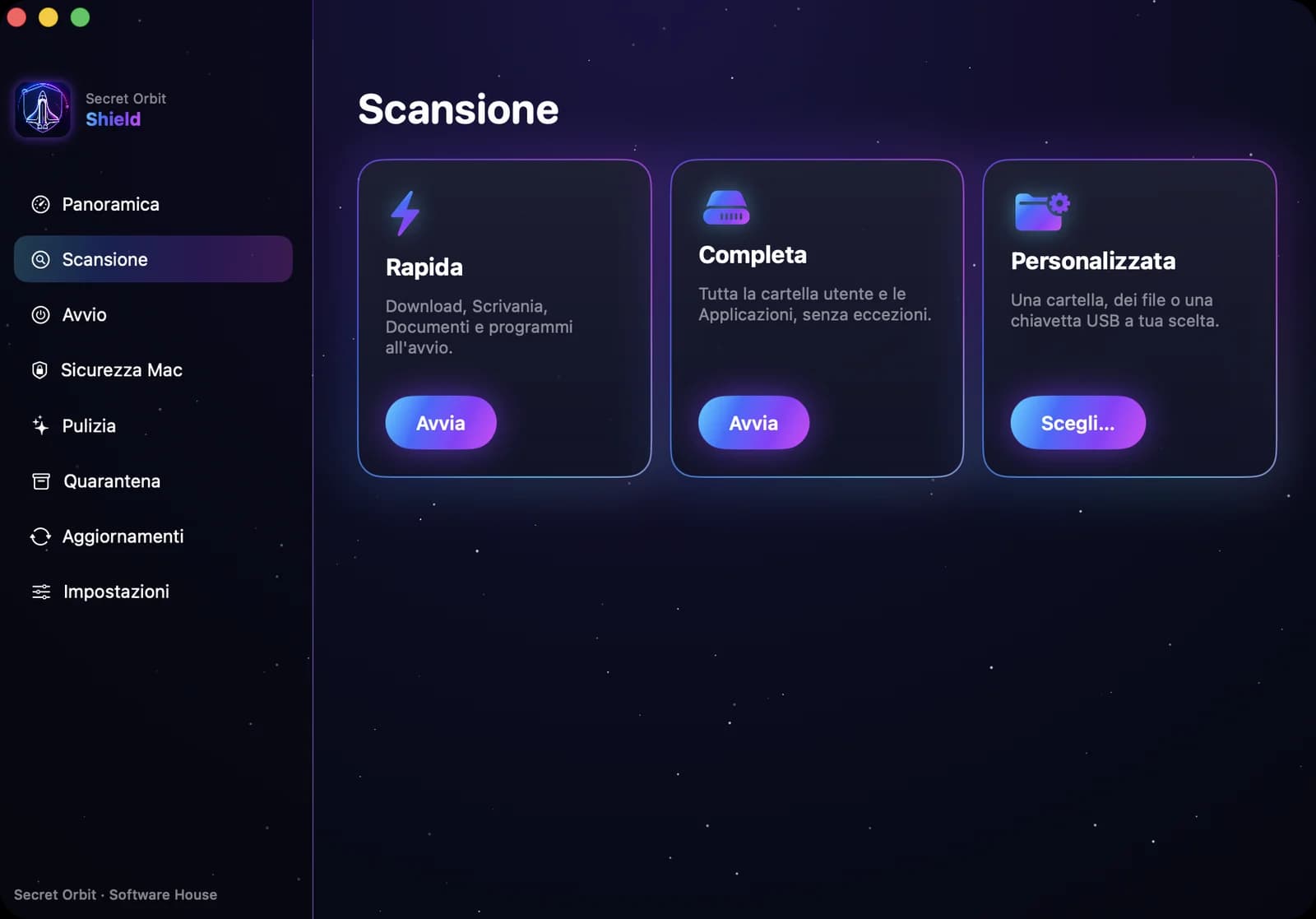
Quick and full scans
Check the riskiest folders in minutes or your whole Mac, including zip, rar and dmg archives.
Always-updated signatures
More than 3.6 million virus and malware signatures, updated automatically at launch.
Quarantine and restore
Infected files are safely isolated: delete or restore them whenever you like.
Pause, resume and filters
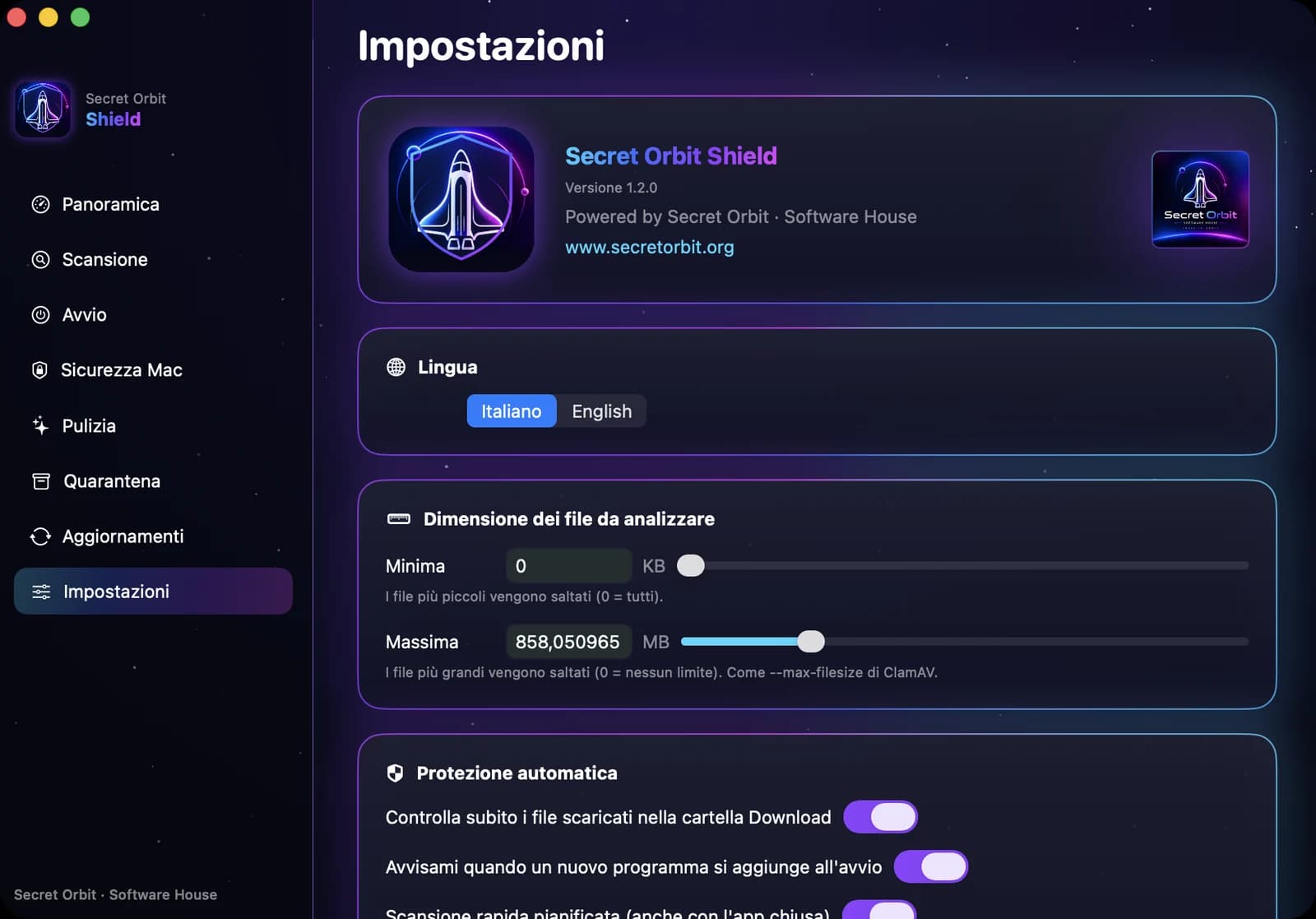
Pause, resume or abandon a scan; choose the minimum and maximum file size.
One-click Fix
Recognizes the file type and acts on its own: disables malicious startup items, isolates infected apps, never touches system files.
Download protection
Every new download is checked right away, even with the app closed, with a notification if it's dangerous.
Scheduled scan
Every day or every week at the time you prefer, automatically.
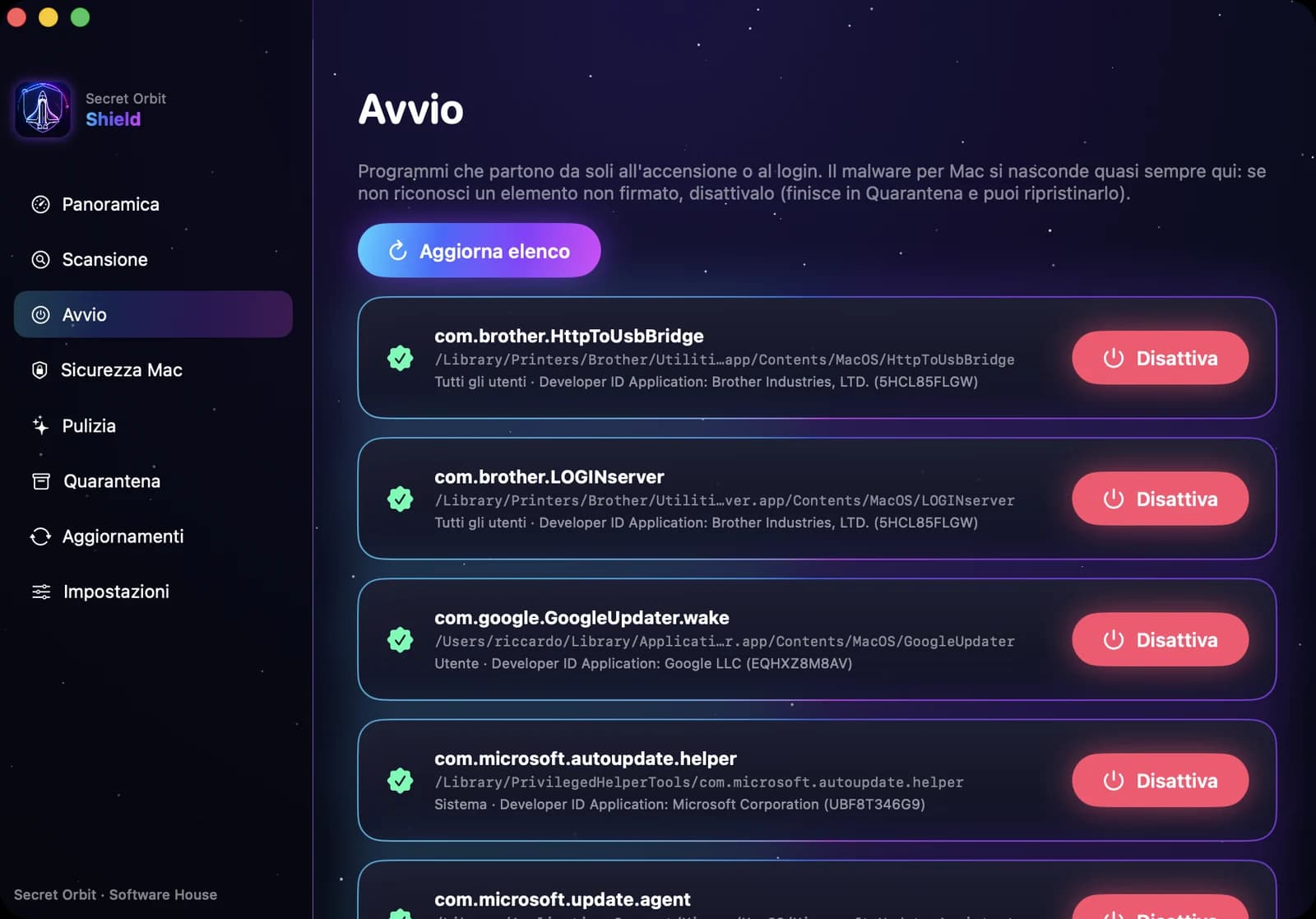
Startup monitor
Alerts you when a new program adds itself to startup: where almost all malware hides.
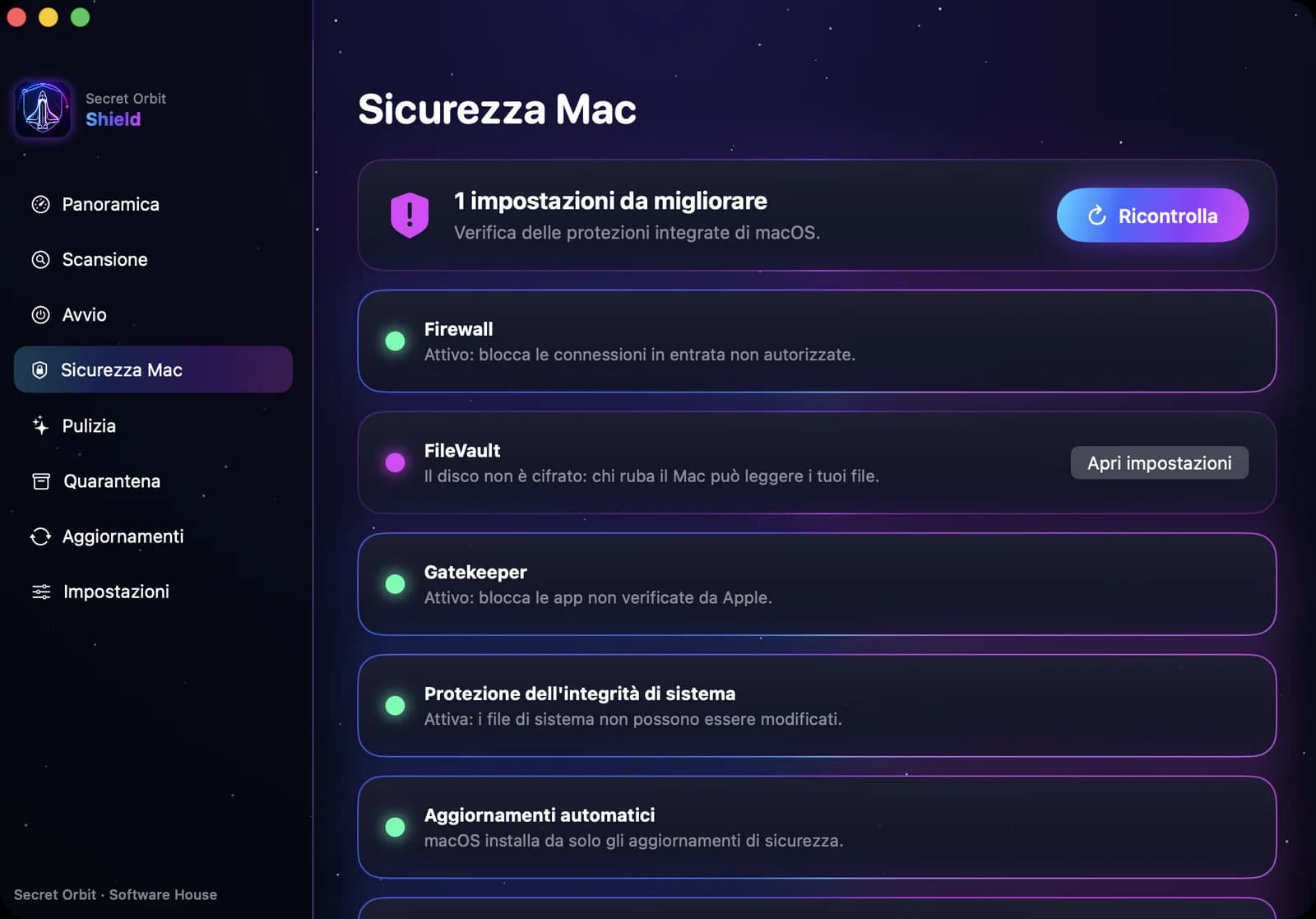
Security check
Checks firewall, disk encryption, updates and remote access with a clear traffic light.
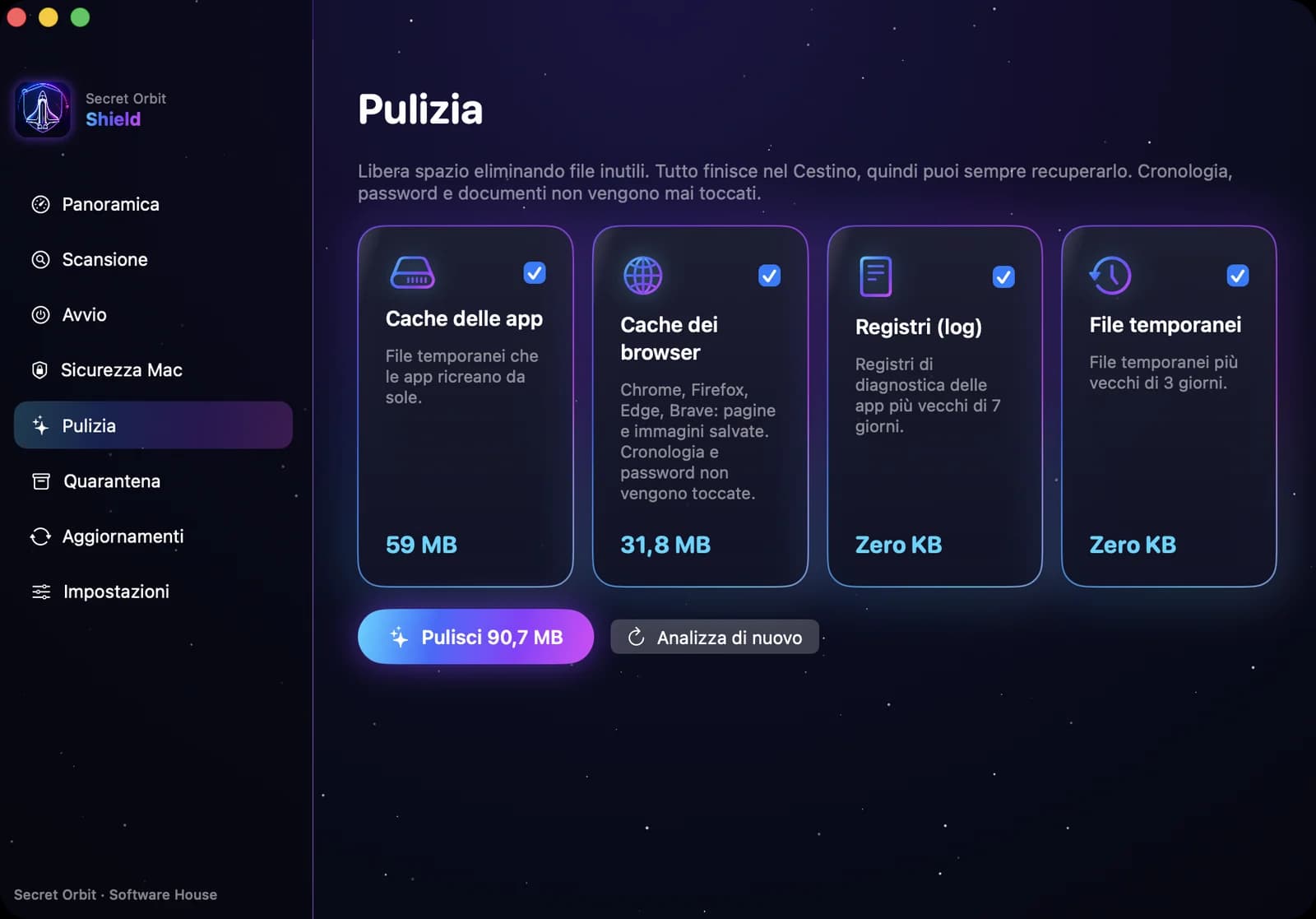
Cleanup
Frees space from caches and temporary files: everything goes to the Trash, recoverable.
Right-click scan
Scan any file or folder straight from Finder or File Explorer.
Works alongside macOS protection
Secret Orbit Shield does not replace or disable your Mac’s built-in defences: XProtect, Gatekeeper and automatic malware removal stay on. They work side by side, without interfering.
No conflicts
Scans run only when you ask: no always-on processes slowing your Mac or clashing with XProtect.
More signatures, more threats
XProtect focuses on a few thousand Mac threats; Shield adds over 3.6 million signatures, including Windows viruses, Office macros and phishing.
Even files you don’t open
Checks attachments, USB drives, archives and shared folders before they reach other computers.
You stay in control
See every threat found and choose to quarantine, delete or restore it.
How to install
- 1
Download the .dmg file and open it.
- 2
Drag Secret Orbit Shield into the Applications folder.
- 3
Open the app, enter your license key and follow the guided setup.
Windows version
Secret Orbit Shield for Windows
On Windows, Shield works together with Microsoft Defender: Defender always protects you in real time, Shield gives you an independent second check whenever you want. You don't need to turn anything off.
How it complements Defender
A second opinion
ClamAV signatures are written by a different team (Cisco Talos): on suspicious files, Office documents, PDFs and attachments, two engines beat one.
Mac and Linux threats
It also detects malware for other systems, so you don't pass infected files to colleagues and clients on Mac or Linux.
Everything stays on your PC
No file is sent to the cloud for analysis: your documents stay completely private.
Scans your way
Folders, USB sticks and external drives, size filters, pause, resume and a separate quarantine with restore.
Extra conveniences on Windows
Right-click in File Explorer
On any file or folder: "Scan with Secret Orbit Shield" (on Windows 11 under "Show more options").
Drag and scan
Drag files or folders onto the app window for an instant check.
Lightweight install
A single file, installs for your user and uninstalls from Settings › Apps.
How to install on Windows
- 1
Download the .exe file and open it.
- 2
If "Windows protected your PC" appears, click More info › Run anyway.
- 3
Choose the language, enter your license key and follow the guided setup: installation and signatures are automatic.
Why does Windows show a warning?
The Windows version doesn't have a Microsoft digital signature yet, so SmartScreen shows a warning on first launch. The file is the original one downloaded from secretorbit.org: the digital signature will come with upcoming updates.
Scan engine: ClamAV® (open source, GPLv2) by Cisco Talos. github.com/Cisco-Talos/clamav
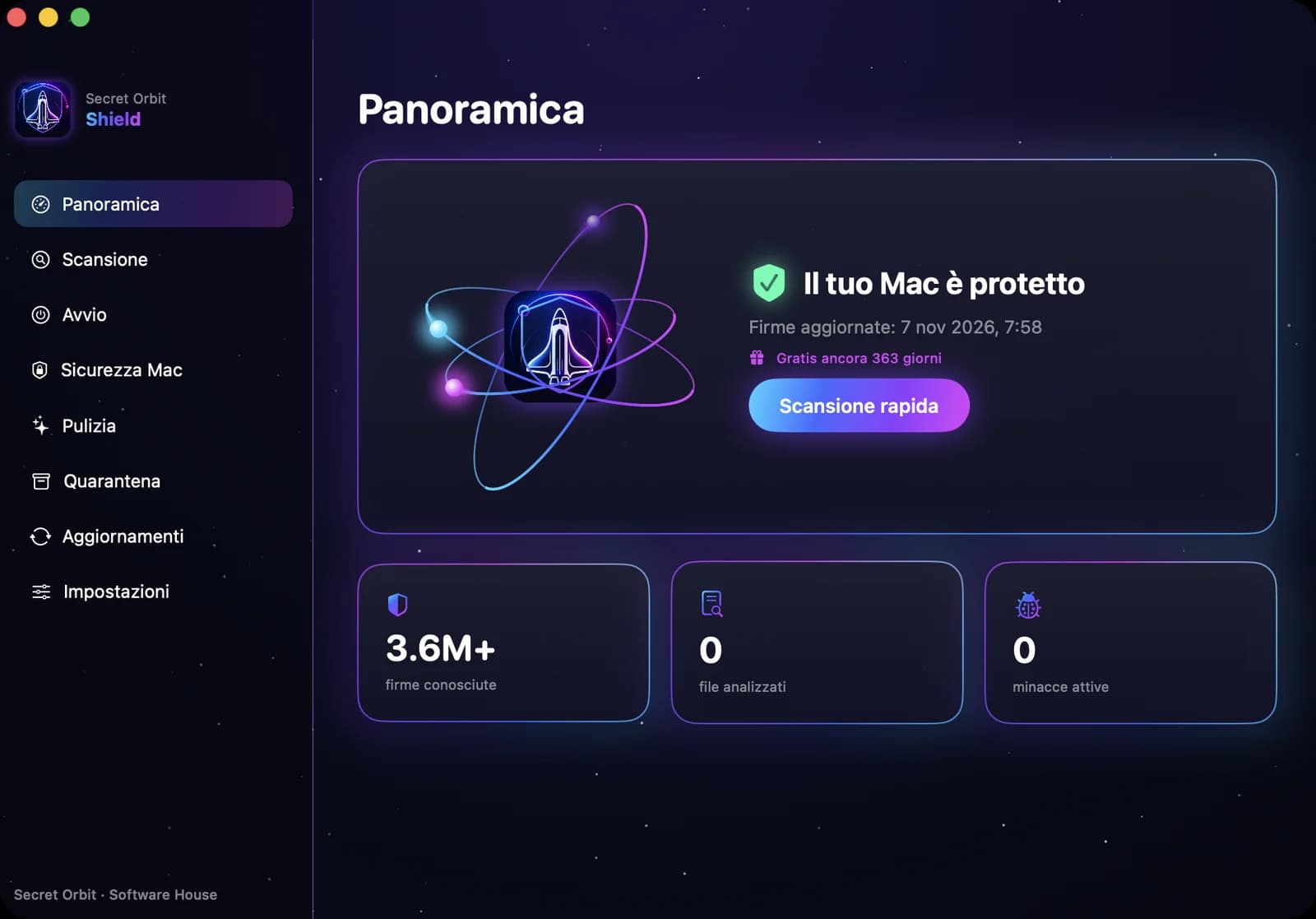
See Shield in action
Every feature one click away: protection status, scans, startup items, Mac security, cleanup and automatic protection.
Download the brochure (PDF)
All features, screenshots and pricing in 6 pages.